Governance for AI agents at scale
Modelled after how your organisation is structured.
Set the ceiling once at the workspace level, let teams own their function, and let agent owners build inside those limits. Capability tiers, role-based access, model controls, cost budgets, and admin oversight, without overreach.
Trusted by leading organizations







Govern at scale: workspaces, teams, and admin oversight
Once you move past a handful of agents, governance is about people and process, not just per-agent toggles. Abundly mirrors how organisations are structured: standards, budgets, and approval gates live at the level they belong to.
Two ways to structure
There is no single right answer. Larger organisations typically use workspace-per-business-area. Smaller organisations often put everything in one workspace with teams as departments.
Workspace per business area
Each business area (Customer Success, Commercial, Marketing, Product, Finance, HR, etc.) gets its own workspace with teams inside. Cleanest separation, ideal for larger organisations with distinct cost centres and governance owners per area.
Single workspace with teams as departments
One workspace covers the whole organisation, with teams mapped to departments. Faster to set up, easier to share assets, and a good fit for smaller organisations or organisations that prefer central administration.
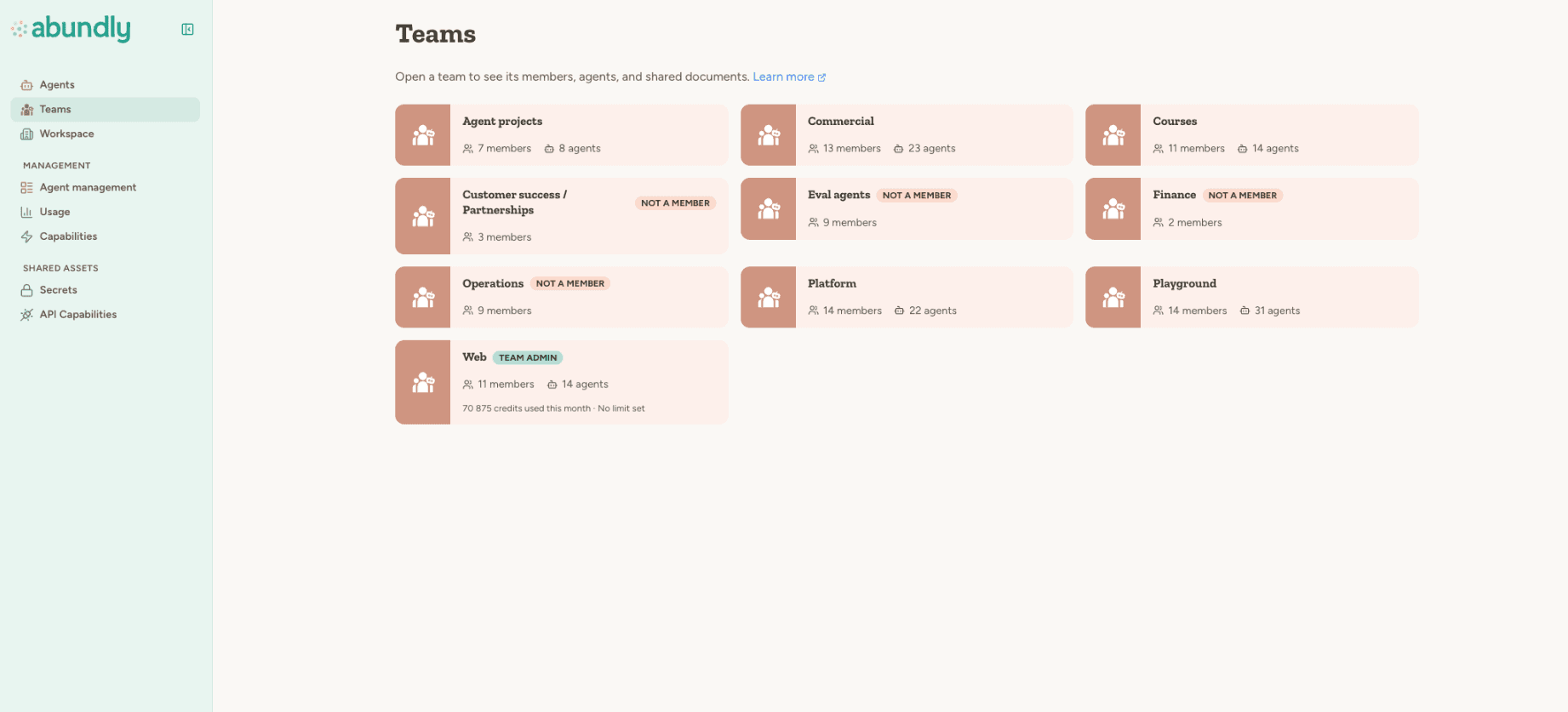
Teams act as the unit of ownership inside a workspace. Each one carries its own admins, members, agents, and (where set) credit budget.
Three tiers of control
Every control on the platform sits at one of three levels. Higher tiers set the ceiling, lower tiers operate within it.
Workspace admins
Set the ceiling for everyone in the workspace. Typically owned by a Platform & Governance function that defines standards, gates capabilities, and watches cost across the business.
- Enable or disable capabilities workspace-wide
- Choose default mode for new capabilities (allowed or blocked)
- Control which LLM models are available to users and agents
- Allow or block custom MCP servers
- Configure attack-detection alerts and recipients
- Manage members, billing, and credit limits at the workspace level
- Run Workspace Analytics for SQL-based audit visibility (admin-only)
- Workspace document libraries for shared knowledge
Team admins
A team usually maps to a business function: Customer Care, Sales, Marketing, Finance, and so on. Team admins own the agents the team builds and uses.
- Approve or restrict capabilities for agents in their team
- Manage team members and agent assignments
- Set monthly credit budgets for the team
- View Team Analytics (usage, members, agent stats scoped to the team)
- Use Team Explorer for read-only browsing of team agent data
- Maintain team-scoped document libraries and shared secrets
Agent owners
The people who actually build and run the agent. They configure instructions, capabilities, and per-agent guardrails inside the limits set by team and workspace admins.
- Set per-agent capabilities and allow-lists
- Configure approval rules per capability (inside vs outside allow-list)
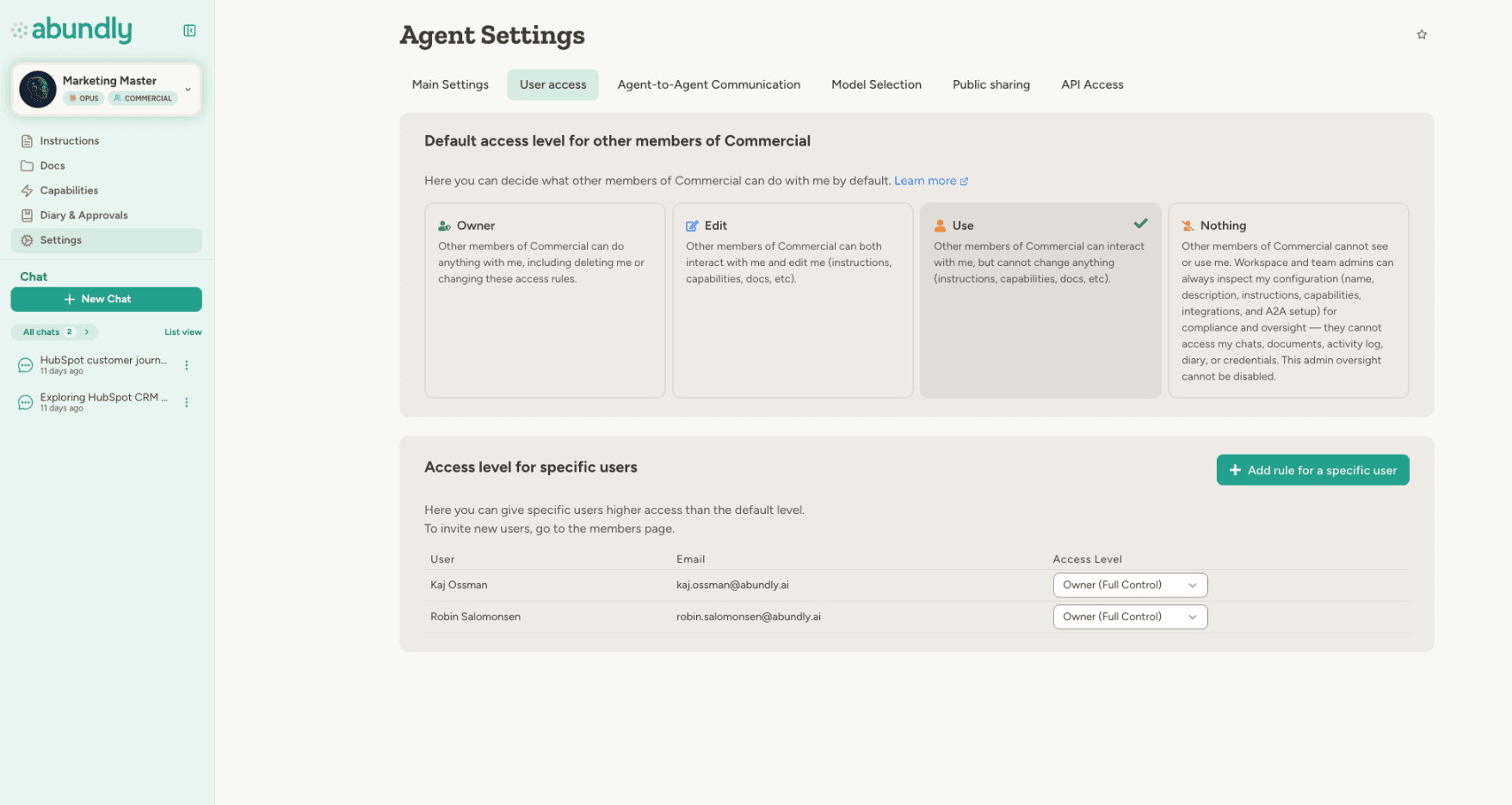
- Choose default access level: Owner, Edit, Use, or Nothing
- Make the agent private or admin-restricted
- Set daily credit limits and warning thresholds
- Define agent-to-agent discoverability (No one, Team, Everyone)
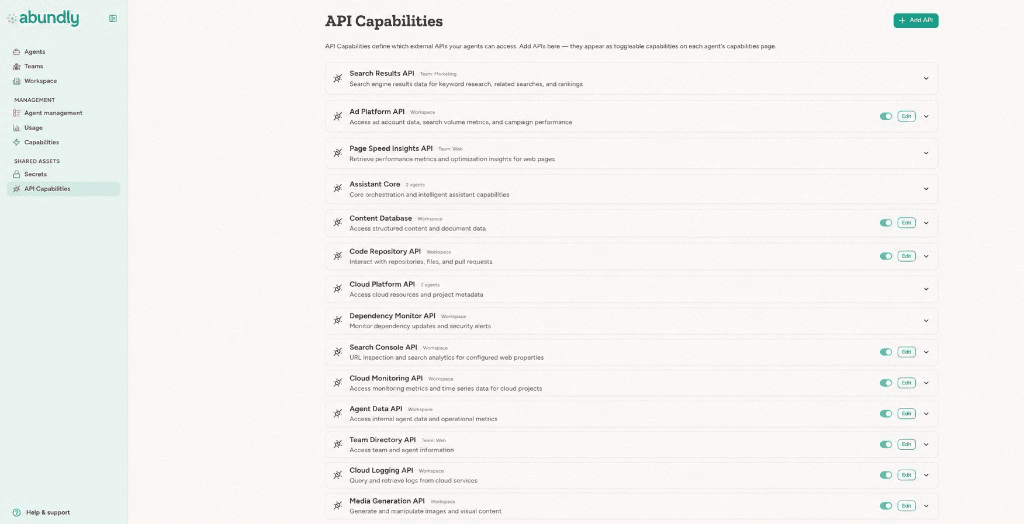
Cost governance at every level
Budgets cascade the same way permissions do. Workspace allowance, team budgets, agent daily limits. Each level can warn or block independently.
Workspace allowance
Plan-level credit allowance with low-balance alerts that scale to a percentage of your allowance, so warnings are meaningful at any plan size.
Team monthly budget
Set per-team credit budgets in the Team Limits tab. Agents in a team that exceeds its budget are blocked until the limit is raised or the month resets.
Agent daily limit
Per-agent daily credit cap that stops runaway spend on a single agent. Defaults can be set workspace-wide and overridden per team.
Role-aware warnings
Banners and chat-input warnings show different guidance to admins and regular users, with direct links for admins to edit limits or reset usage.
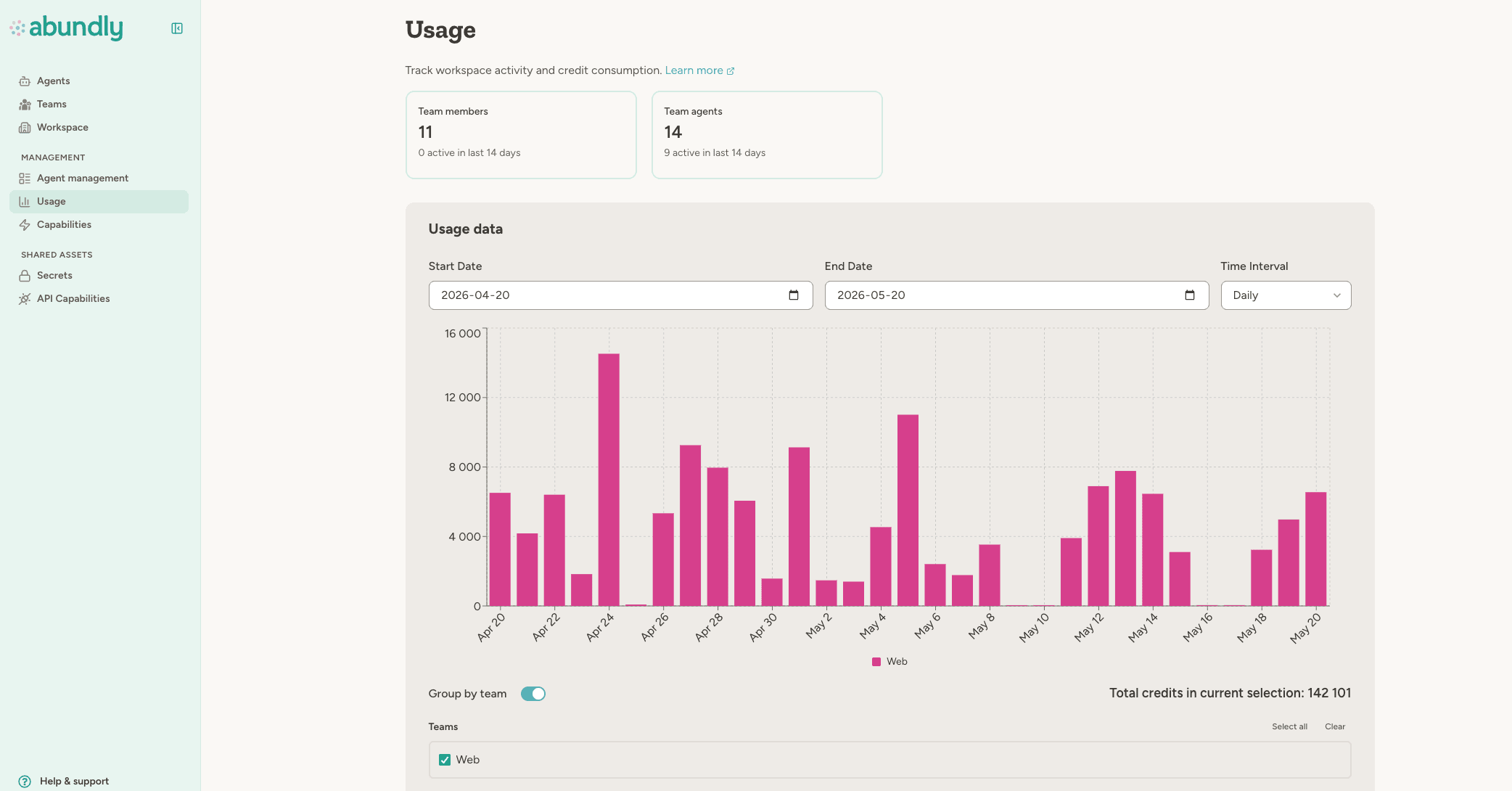
Admin oversight without overreach
Private agent visibility
Workspace admins can see private agents in management views (description, instructions, connections, exposure hooks) without being able to chat with them. Visibility for governance, not interaction.
Workspace Analytics
SQL access over an aggregated, metadata-only snapshot of every agent, chat, trigger, capability, credit, and eval. Powered by built-in DuckDB. Requires an admin-only agent to query.
Team Analytics & Team Explorer
Team admins get usage metrics, member activity, and agent stats scoped to their team, plus read-only browsing of team agent documents and data.
Activity log
Nested tool calls, sub-agent delegation, attack-detection blocks, and approval decisions all show up in a single activity stream.
Support user access
Add support users as admins on private agents directly from the agent overview. Revoking workspace access cascades to all agent access lists automatically.
Secrets with scoped access
Shared secrets in the workspace can be scoped to specific teams or agents. Reverse lookup highlights access mismatches before they bite.
Frequently asked questions
Where is our data stored?
Where is our data stored?
All customer data (databases, files, audit logs, task queues) is stored in EU data centers on AWS and GCP. When an agent invokes an LLM, the request goes to the selected model provider in their region, but customer data at rest stays in the EU.
Are you GDPR, ISO 27001, and AI Act compliant?
Are you GDPR, ISO 27001, and AI Act compliant?
Yes. GDPR-compliant with EU data residency by default. ISO 27001 certified. EU AI Act aligned with transparent decision logging, human-in-the-loop controls, and EU residency. SOC 2 Type II certification is planned. Enterprise customers can request a DPA and current compliance documentation.
Can agents be manipulated through prompt injection?
Can agents be manipulated through prompt injection?
Only if badly designed. Attack detection screens untrusted trigger content in a separate context before the agent acts on it, and guardrails are enforced by platform code (not LLM reasoning), so they cannot be bypassed by clever prompts. Match your configuration to your risk profile.
Does the LLM ever see our credentials or API keys?
Does the LLM ever see our credentials or API keys?
No. The LLM only knows which capabilities are available (e.g., "Gmail: read and send emails"). When an agent calls an external API, the platform injects authentication after the LLM has generated the request, so credentials are never included in prompts or visible to the model.
How do we govern agents across a large organisation?
How do we govern agents across a large organisation?
Mirror your org chart. Use workspaces per business area (or one workspace with teams as departments for smaller orgs). Workspace admins set the ceiling (capabilities, models, MCP, allowance), team admins govern their function (budgets, capability approvals, analytics), and agent owners configure per-agent guardrails inside those limits.
Can we have a dedicated deployment?
Can we have a dedicated deployment?
Yes, for enterprise customers. A dedicated deployment gives you your own database and your own agent service, physically separated from the shared multi-tenant infrastructure, while keeping the same EU residency and security posture. Contact our team to scope it for your organisation.
Build agents your security team can sign off on
Get the full security overview in our documentation, or talk to our team about your governance requirements, DPAs, dedicated deployment, and custom compliance arrangements.