The business builds the agents. Your IT governs them.


In this article
AI agents feel like an IT project. They shouldn't be. Here's the division of labour that works — and what your IT can actually enforce.
AI agents feel like an IT project. Yet we keep saying the people closest to the work should build them. If you run IT, that sounds like a recipe for chaos.
It's the opposite. Here's the division of labour that works.
The business builds. Your IT governs.
You already run this model. Nobody thinks your IT should build every spreadsheet or every BI dashboard. But everyone agrees your IT should own the security around the data.
AI agents work the same way. The people closest to the work know what the agent should do. Your IT knows what it must never do.
And here's the uncomfortable truth: the business is already building. With ChatGPT, with spreadsheets that quietly became systems, with tools that never crossed your desk for approval. The question is not whether the business builds AI. It's whether it happens somewhere you can see it — and back it.
What “governs” means in practice
Governance is not a policy PDF. It's a grid: how much autonomy the agent has, times how sensitive the data is.
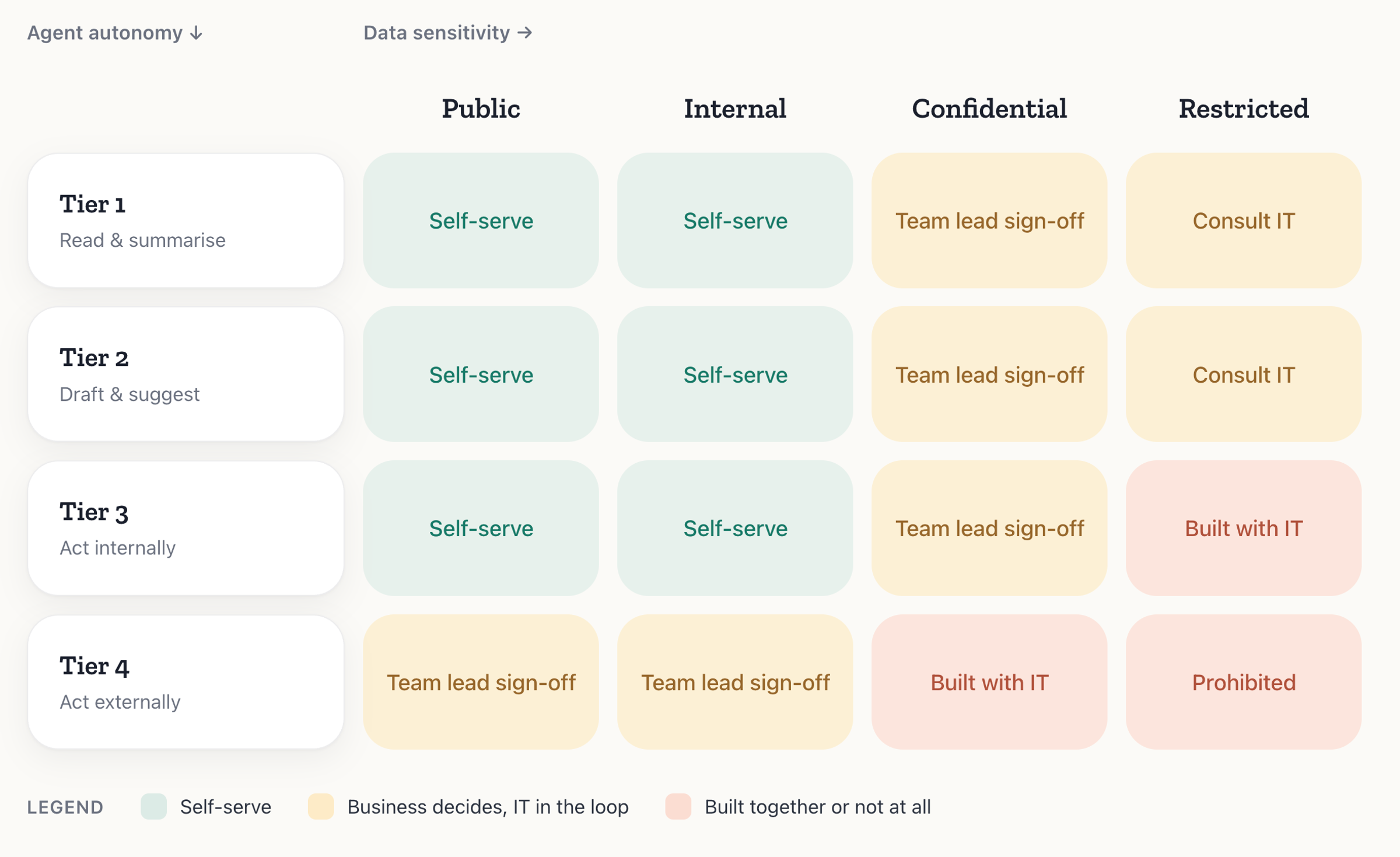
Thanks to Johanna Riad at StruSoft, whose original version of this matrix we're building on.
Be honest about the split. The platform enforces the outer edges. Your policy fills the middle. Abundly can hard-block an agent from posting publicly or reaching an unapproved system. It cannot know that a spreadsheet is confidential — that call is yours.
And note what the Confidential column doesn't say. Reading is not automatically safe: even a read-only agent can pass confidential data somewhere it must not go. That's why even Tier 1 needs sign-off there.
Be careful with amber, though. For finance, HR and sales, almost nothing is public, so amber is their real playing field, not green. Make it their own call: the team lead signs off, you see it in the log afterwards. Amber must not become a ticket in your queue.
What your IT can actually block
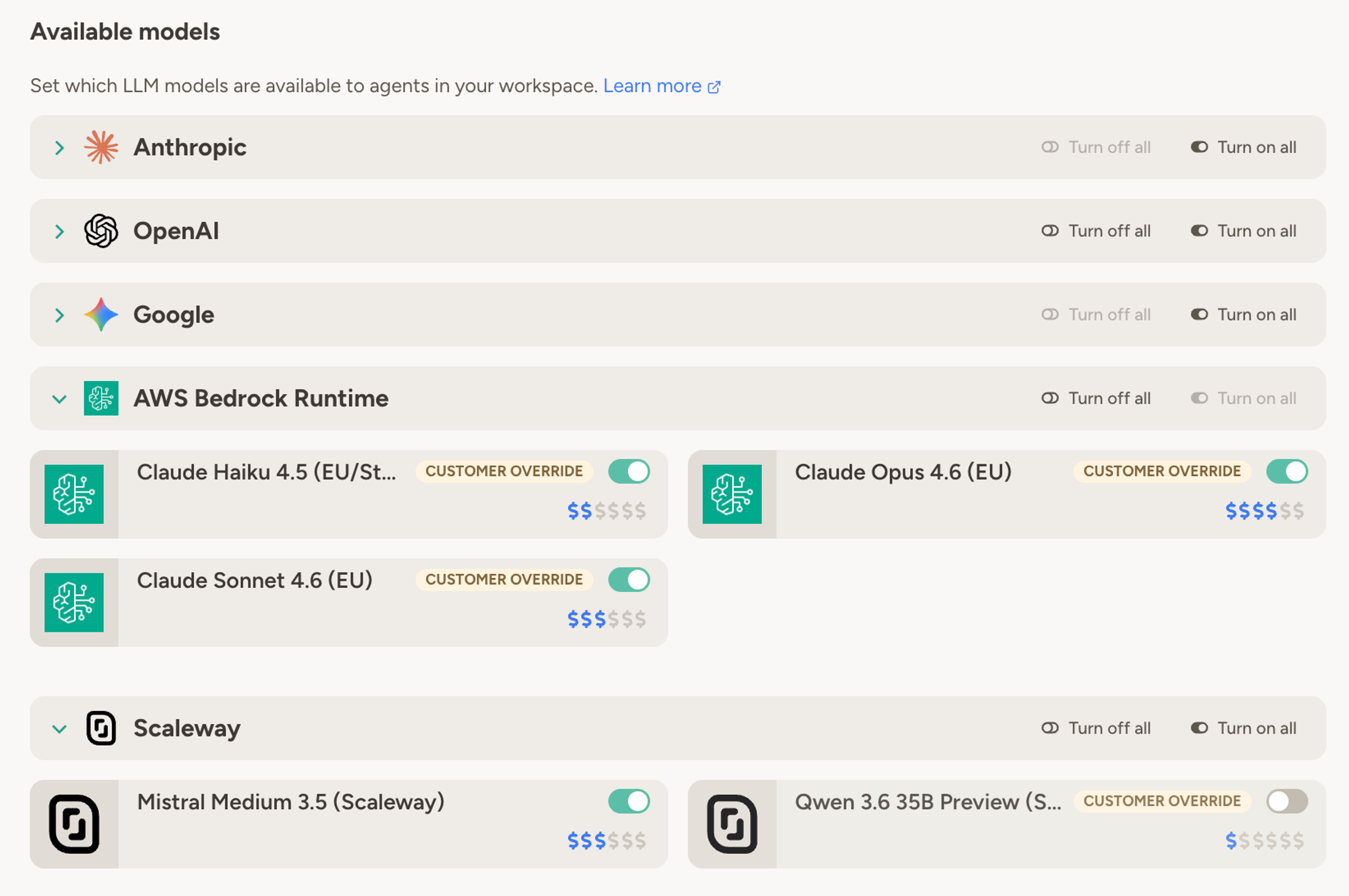
Your IT sets the limits once, for the whole workspace.
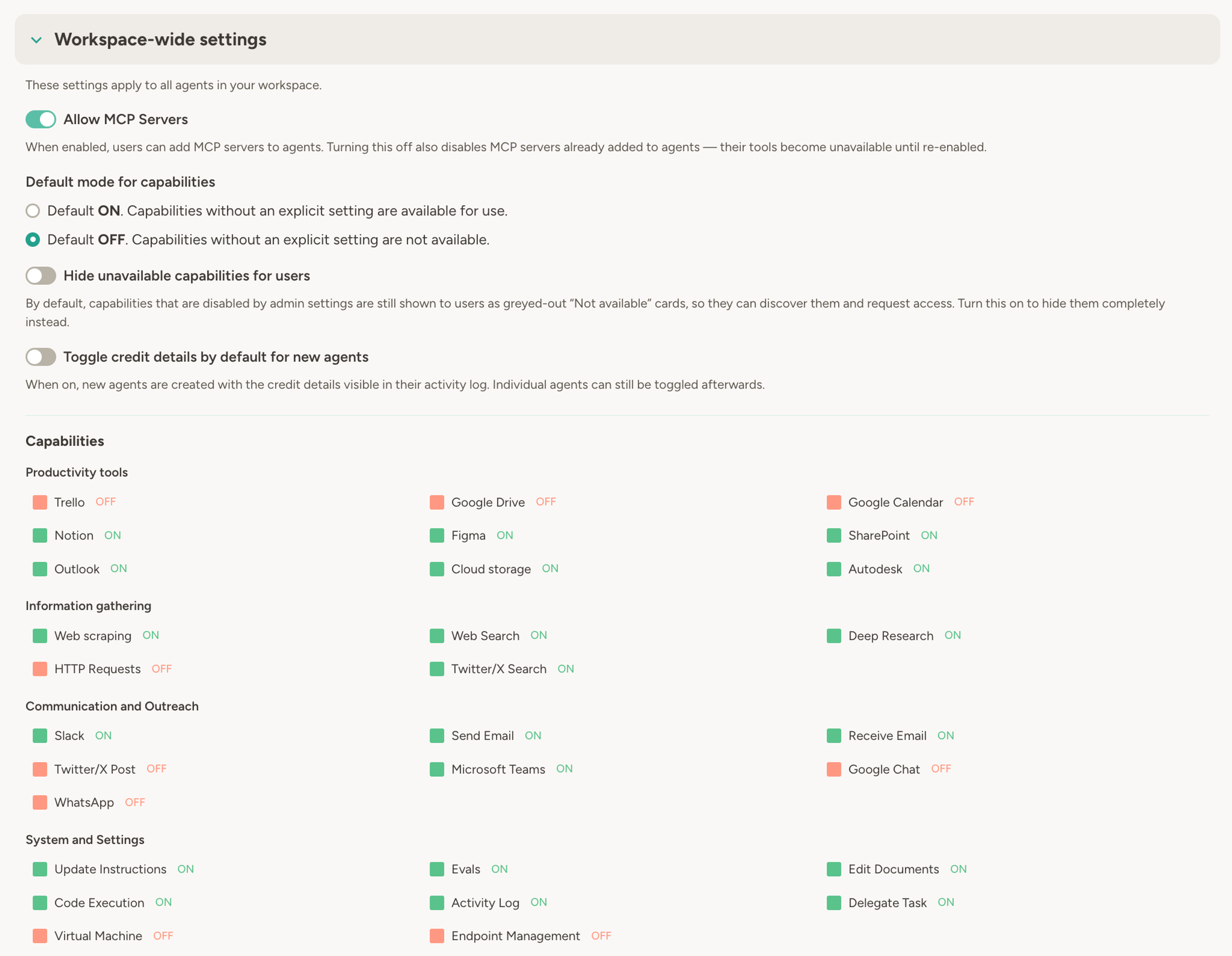
Agents reach only the systems your IT has registered. Every other endpoint is closed. That holds even when an agent runs code: the sandbox has no network of its own, so every outbound call goes through the same allowlist. Credentials sit in a vault, scoped per team or per agent, and are injected server-side — the model never sees them. People sign in through your existing single sign-on.
An agent that reads inbound email can be told what to do by a stranger. Abundly screens incoming email and SMS for injection attempts before the agent acts on them. The capability policy is the backstop: an agent that cannot post publicly cannot be talked into it.
An agent can use a named person's connection, with that person's permissions, or run on a dedicated service account your IT provisions with least privilege. Use the service account for anything you need to audit clearly: then the agent has its own identity, its own permissions and its own trail.
And when you want to know what actually happened: every trigger, every tool call and every external request is logged per agent, with the cost attached. Configuration changes have their own append-only history — who changed what, and when.
Nor do agents quietly outlive their owner. Your IT has a fleet view of the workspace: every agent, its owners, last runs and costs by agent or team. Orphans become visible instead of buried on someone’s laptop. And cost is the cheapest early warning there is: an agent nobody uses drops off the bill, one running wild shows up on it immediately.
When agents outgrow the platform
The business prototypes an agent, it proves useful, then it hits a wall: this part needs real code. That's where your IT comes in. Not to take the agent over, but to build the hard parts as services the agent calls. The prototype keeps earning its keep while you build, so nothing stalls in the queue.
You don't design this upfront. The working prototype is the spec.
The bottom line
You don't have to build everything. You get to see everything, govern everything, and step in where it matters.
That's a better job than being the bottleneck.